
I’m Antonio Rubén de las Nieves Stoner, from Yerbabuena Digital, the Vélez-Málaga studio that built the site. I’m also the father of three swimmers at Club Natación Axarquía, and I used to swim.
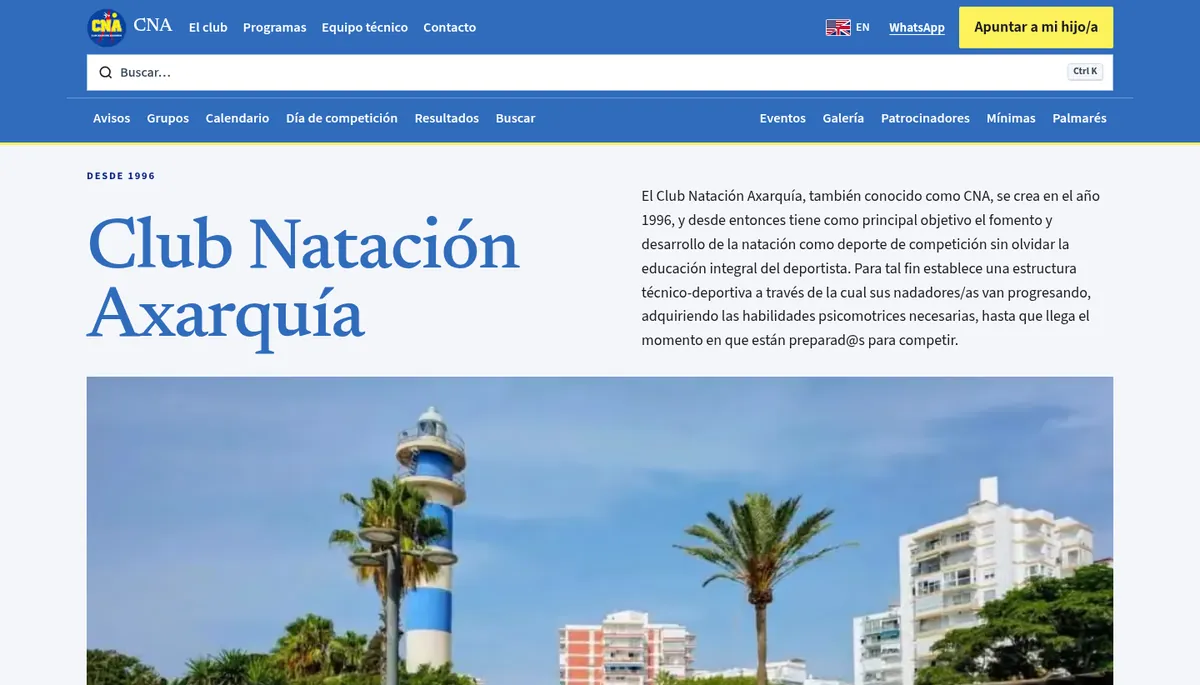
Since 8 October 2026, elcna.es has been serving the club’s new website. It was rebuilt from scratch, in Spanish and English, and designed for how it actually gets used: a parent with a phone, one specific question, and not much time to find the answer.
This note covers two things. First, a club website exists for families, and elcna.es does that job. Second, a website can also bring swimmers, parents and sponsors from across the Axarquía into one place.
What a parent needs from the club’s website
A family has five questions, and they come back every season. Which group is my child in? What time do they train, and at which pool? What’s the monthly fee? How do we join? Where’s the office, and when is it open?
None of these are hard. The hard part is having the answer written down in a fixed place and finding it on the first try. On elcna.es each one has its own page:
- Group, times, pool and fee: Groups, organised by year of birth, from Chupete at age 3 up to Master.
- How to join: Programs, with enrolment step by step, the registration form as a PDF, the kit each group needs, and how to leave.
- Offices and hours: Contact, with both offices, Vélez-Málaga and Torre del Mar, their phone numbers, WhatsApp, and opening hours: Monday to Friday, 16:30 to 18:30.
The information a family needs is now on the site and searchable, instead of living only in WhatsApp messages and PDFs. Newcomers don’t need to know someone who has the right PDF.
What’s on elcna.es now
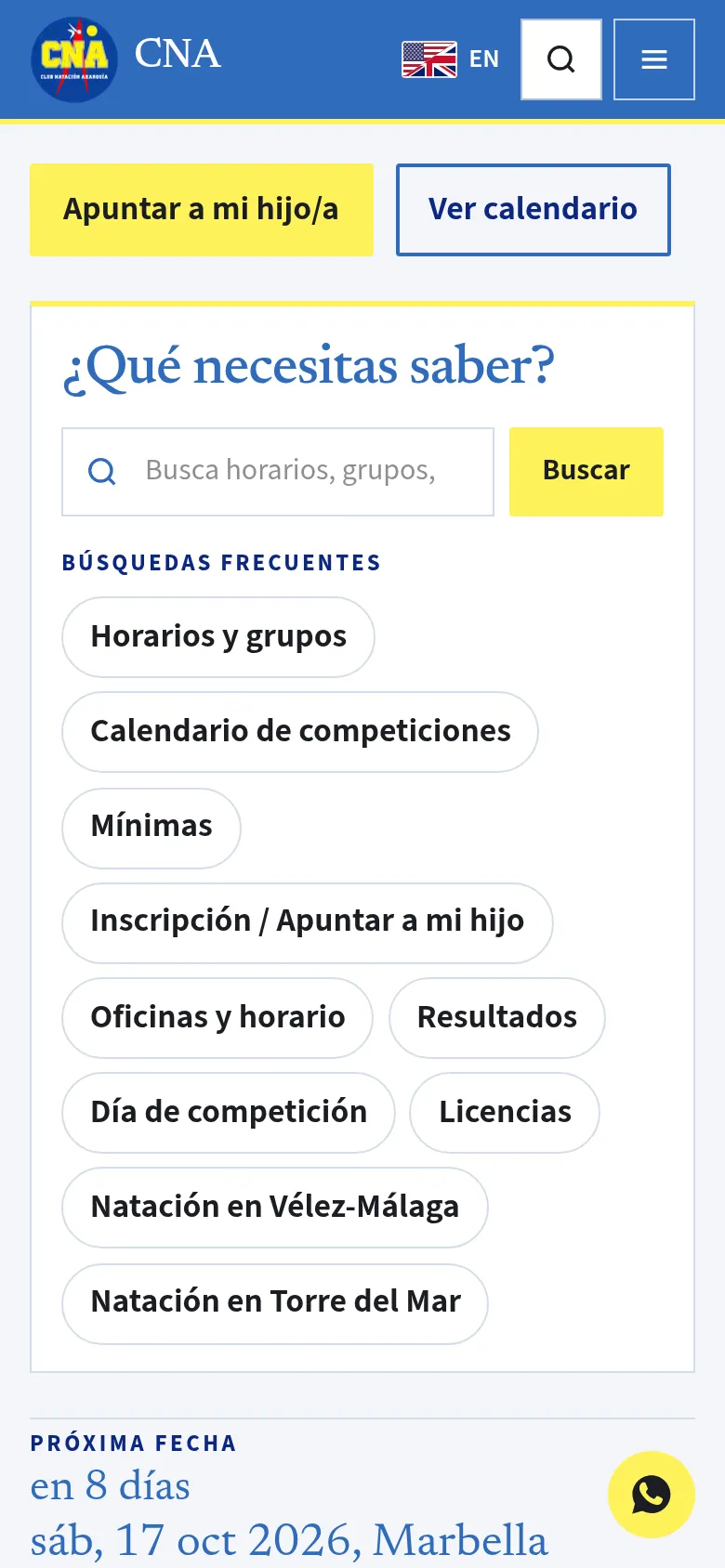
The home page opens with two buttons, “Join CNA” and “See calendar”. Below them is a search box that asks “What do you need to know?”. You can also open it with the / key or Ctrl+K, and it sits at the top of every page. Under it are the popular searches: “Timetables and groups”, “Competition calendar”, “Qualifying times”, “Sign my child up”, “Offices and hours”, “Results”, “Meet day”, “Licences”, “Swimming in Vélez-Málaga” and “Swimming in Torre del Mar”. They’re the questions you hear in any stand, written down as they are. The Search page has the same thing if you land there directly.
On Groups, every group shows the birth years it’s for, the monthly fee, the training days and times, and where it trains: Vélez-Málaga, Torre del Mar, or both. Alevín, Infantil and Junior train at the Piscina Municipal José Eduardo Hernández in Torre del Mar. The fee is in plain sight; nobody has to ask for it.
Programs sets out enrolment in four steps, the kit each group needs, and the procedure for leaving the club. The registration form is signed by a parent or legal guardian. The image authorisation is separate: it’s optional, and you can refuse it without affecting enrolment.
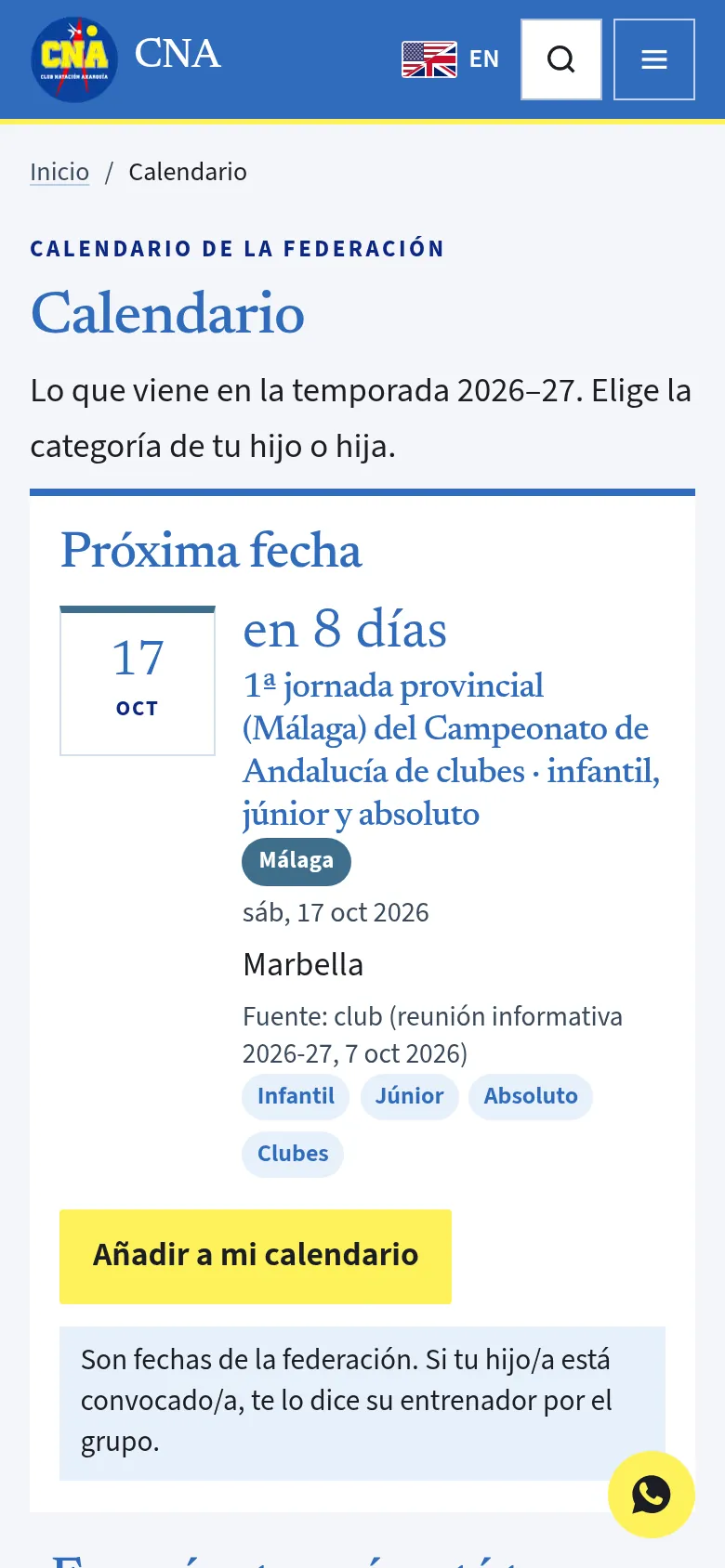
The Calendar lists the 2026–27 dates from the Andalusian and Spanish swimming federations, each date with its source: the federation’s circular or official file, linked. Where a day or a venue is marked “Source: club”, that value is replaced as soon as the FAN publishes the file. At the top it asks which category your child is in, and lets you filter from Prebenjamín to Masters, and by level too: Málaga, Andalusia or Spain. Any date can go into your own calendar with one button. If you’re not sure of your child’s category, Age groups explains it by year of birth, with the FAN table, the RFEN table and the points where they differ.
Results explains, in five steps, how to find a swimmer’s times on AquaTime: season, Málaga, Club Natación Axarquía, year of birth, swimmer. AquaTime is a free tool made by a club family, and its screens are in Spanish. Meet write-ups and photos go on the club’s Instagram, @cnaxarquia.
What the site deliberately doesn’t do
A website earns trust when it also says what it doesn’t do. elcna.es is clear about three things.
Sign-up isn’t online. It’s done with the PDF registration form, handed in at the club office: Vélez-Málaga or Torre del Mar.
The calendar isn’t the call-up. These are federation dates. The page says so in plain words: “If your child is called up, their coach says so on the group.” The next-date card on the home page repeats it: “This is not the club call-up.” Call-ups still come from the coach, on the group. The site doesn’t compete with that channel; it leaves it where it belongs.
The club doesn’t host results. Times are checked on AquaTime, and official times stay in the FAN and RFEN results files, linked from the same page. There’s no parallel table that could contradict the official record.
Knowing where not to look saves time too, and makes it easier to trust what you do find.
Bringing the Axarquía together
A club that has been swimming in the Axarquía since 1996 doesn’t fit in one pool. It has two offices, one in Vélez-Málaga and one in Torre del Mar. It has groups training in Vélez-Málaga, in Torre del Mar, or in both. It has a swim school from age 3 and a Masters group for adults. It has families, coaches, local businesses that back it and institutions that stand with it. When everyone hears things through a different channel, someone gets left out.
elcna.es is the place where everyone sees the same thing. Swimmers check their group and category. Families check times, fees and the office. Local businesses and the institutions that support the club have their own page, sponsors and institutions, and anyone who wants to get involved finds out how there. Nobody has to ask in three places to learn the same thing.
Then there’s the English version. There are families living in the Axarquía who don’t read Spanish, and for them the groups, programs, calendar, results and contact pages are in English too. The site is upfront about what stays in Spanish: championship names, as the federation publishes them, and the registration form. Better to say so than to have someone find out at the counter.
A website doesn’t hold a club together; coaches, families and swimmers do that. What it can do is make sure nobody misses out because they didn’t know what time it was or where to look. That’s the goal: families find what they need on elcna.es without having to ask. It’s for the club and for the Axarquía swimming community.
If you run a club or an association
If you run a club or an association and your website doesn’t answer your families’ questions, start by writing those questions down. The list is usually shorter than you’d think. At Yerbabuena Digital we can help with your club or association’s website.
Frequently asked questions
Where can I see my child's group times?
On the Groups page of elcna.es (elcna.es/en/grupos in English). Each group, from Chupete to Master, shows the birth years, the monthly fee, the training days and times, and the pool: Vélez-Málaga, Torre del Mar or both. For the swim school groups, the exact days are confirmed at the office, Monday to Friday, 16:30 to 18:30.
How do I sign my child up for the club?
The Programs page (elcna.es/en/programas) explains joining step by step: contact the club, an in-water assessment depending on the group, then a PDF registration form signed by a parent or legal guardian and handed in at the Vélez-Málaga or Torre del Mar office. The form is in Spanish. The image authorisation is optional and can be refused without affecting registration.
Where are the results and my child's times?
The Results page (elcna.es/en/resultados) explains how to find times on AquaTime in five steps: season, Málaga, Club Natación Axarquía, year of birth, swimmer. The club doesn't publish its own results: official times stay in the FAN and RFEN results files, linked from that page. Meet write-ups and photos are on the club's Instagram, @cnaxarquia.